

Listen, I need to tell you about the time I realized Spotify was holding my music taste hostage and I decided to do something about it.
The Problem: Your Data, Their Prison
Here’s the thing about streaming services: they love knowing everything about you. What you listen to, when you listen to it, how many times you’ve played “September” by Earth, Wind & Fire in a single day (no judgment, it’s a banger). They use all that juicy data to build recommendation engines, create algorithmic playlists, and sell you on why their service is better than the other guy’s.
But when you want to see that data? When you want to actually analyze your own listening habits, export your library, or just keep a backup of the songs you’ve spent years curating?
Good luck with that.
Spotify’s “Liked Songs” feature is fantastic until you realize it’s basically a one-way street. You can add songs all day long, but getting them out in any meaningful way (like into a shareable playlist or an actual exportable format) requires either manual labor that would make a medieval peasant weep or some creative problem-solving.
So I did what any reasonable person would do: I built my own extraction tools.
What I Actually Built
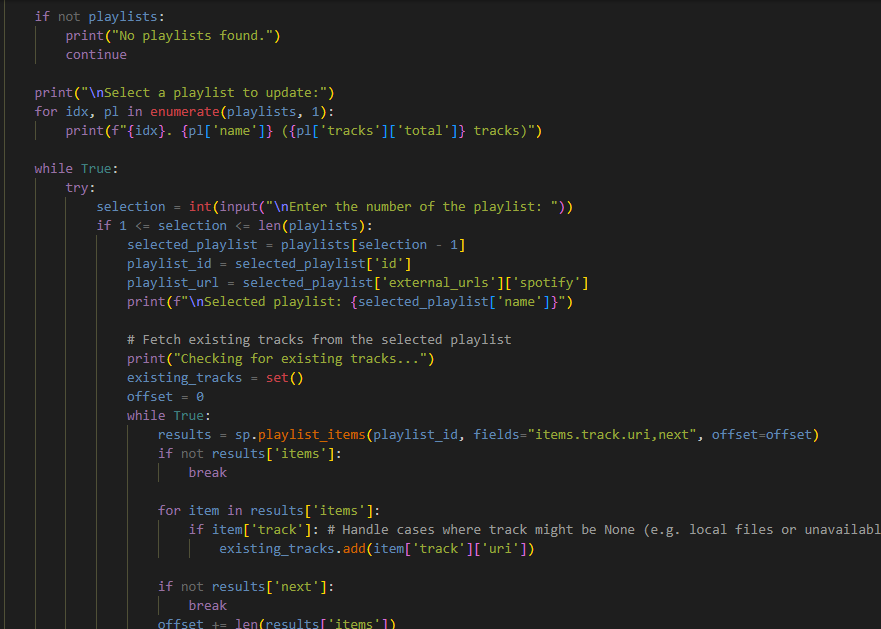
I created two Python scripts that work together like a digital heist team:
LikedIt.py is the playlist syncer. It grabs all your Liked Songs and either creates a brand new playlist or updates an existing one. The smart part? It checks for duplicates before adding anything, so you’re not ending up with seventeen copies of the same Taylor Swift track. (Though let’s be real, there are worse problems to have.)
analyze_music.py is where things get spicy. This one doesn’t just copy your songs, it interrogates them. It pulls:
- Every single track in your Liked Songs with full metadata
- Artist information including genres and popularity scores
- Your top tracks and artists across three time ranges (last month, last six months, all time)
- Your recently played tracks
- A statistical breakdown of your entire library
Then it dumps everything into a beautifully formatted Excel file with multiple sheets, timestamps, and enough data to keep you busy for hours.
Why I Actually Did This
The honest answer? I wanted to share a playlist with Amanda without manually adding 2,000+ songs one by one. That’s it. That’s the origin story. Romance really is about the little things, like automating data extraction so your fiancé can enjoy your impeccable music taste.
But once I started building it, I got curious. What if I could see patterns in my listening history? What if I could track how my taste has evolved? What if I wanted to know which artist I’ve been simping for the hardest over the years?
Turns out, when you own your data (actually own it, not just have access to it through someone else’s interface) you can answer those questions. And a bunch of others you didn’t even know you had.
The Technical Bits (Without Making Your Eyes Glaze Over)
The whole thing runs on Python and uses Spotify’s official API through a library called spotipy. This means it’s not some sketchy screen-scraper that’s going to break the moment Spotify changes their website design. It’s using the same tools that legitimate developers use to build Spotify integrations.
Setting it up requires getting API credentials from Spotify’s developer portal, which sounds intimidating but is basically just filling out a form and copying some keys into a file. The authentication flow uses OAuth, which is the industry-standard “sign in with your account” thing you’ve seen a million times.
The interesting challenge was handling pagination. Spotify’s API doesn’t just hand you all your data in one giant blob. It gives it to you in chunks of 50 items at a time. So the scripts have to keep asking “got more?” until they’ve grabbed everything. It’s like a very patient data buffet.
I also had to deal with rate limiting (Spotify doesn’t love it when you hammer their servers), duplicate detection (comparing track URIs instead of just names, because covers and remixes are sneaky), and making sure the whole thing works for multiple user profiles (hence the cache file system).
The Excel export was surprisingly fun to build. Pandas does the heavy lifting, but organizing the data into meaningful sheets, calculating summary statistics, and making sure date formats don’t explode into weird timezone chaos took some finesse.
What I Learned
1. You should own your data. Not just “have access to” it, but actually own it. Services will come and go. APIs will change. Companies will get acquired. But if you’ve got your data in a format you control, you’re good.
2. Automation is an act of love. Whether it’s for yourself (saving hours of manual work) or someone else (making a playlist for your partner), taking the time to automate something shows you care about your time and theirs.
3. Documentation matters. I wrote a README that actually explains what the hell is going on because Future Josh is going to forget how this works, and Present Josh wants to be kind to that guy.
4. The tools you build for yourself can help other people. I put this on GitHub with an MIT license because if I wanted this, someone else probably does too.
Try It Yourself
The whole project is on GitHub at github.com/rela82me/LikedIt. It’s got installation instructions, environment setup, and explanations for people who aren’t Python wizards.
If you’re even a little bit curious about your own music data, or if you just want to finally make that shareable playlist without losing your mind, give it a shot. The worst that happens is you spend 10 minutes setting it up and decide it’s not for you. The best that happens? You unlock years of listening history and actually see your musical journey in spreadsheet form.
Which, okay, I know that sounds nerdy as hell. But there’s something deeply satisfying about turning invisible patterns into visible data. About taking something a corporation controls and making it yours.
Plus, now I can prove mathematically that I have excellent taste in music.
Want to build your own data liberation tools? Have questions about the project? Hit me up. I’m always down to talk about taking back control of your digital life, one Python script at a time.
Leave a Reply
You must be logged in to post a comment.